
Home
Squoosh documentation
Squoosh runs an A/B test without live traffic. You give it two versions of a page — your current Control page (A) and a Variant page (B) you've built — and Squoosh sends a panel of AI synthetic shoppers to each one. Each shopper browses and decides whether to convert, the same way a real customer would. You choose how rigorous each A/B experiment is; higher rigor runs a larger panel.
The synthetic shoppers use your traffic data to model your audience. Their outcomes are synthetic measurements, not observed human-customer conversions.
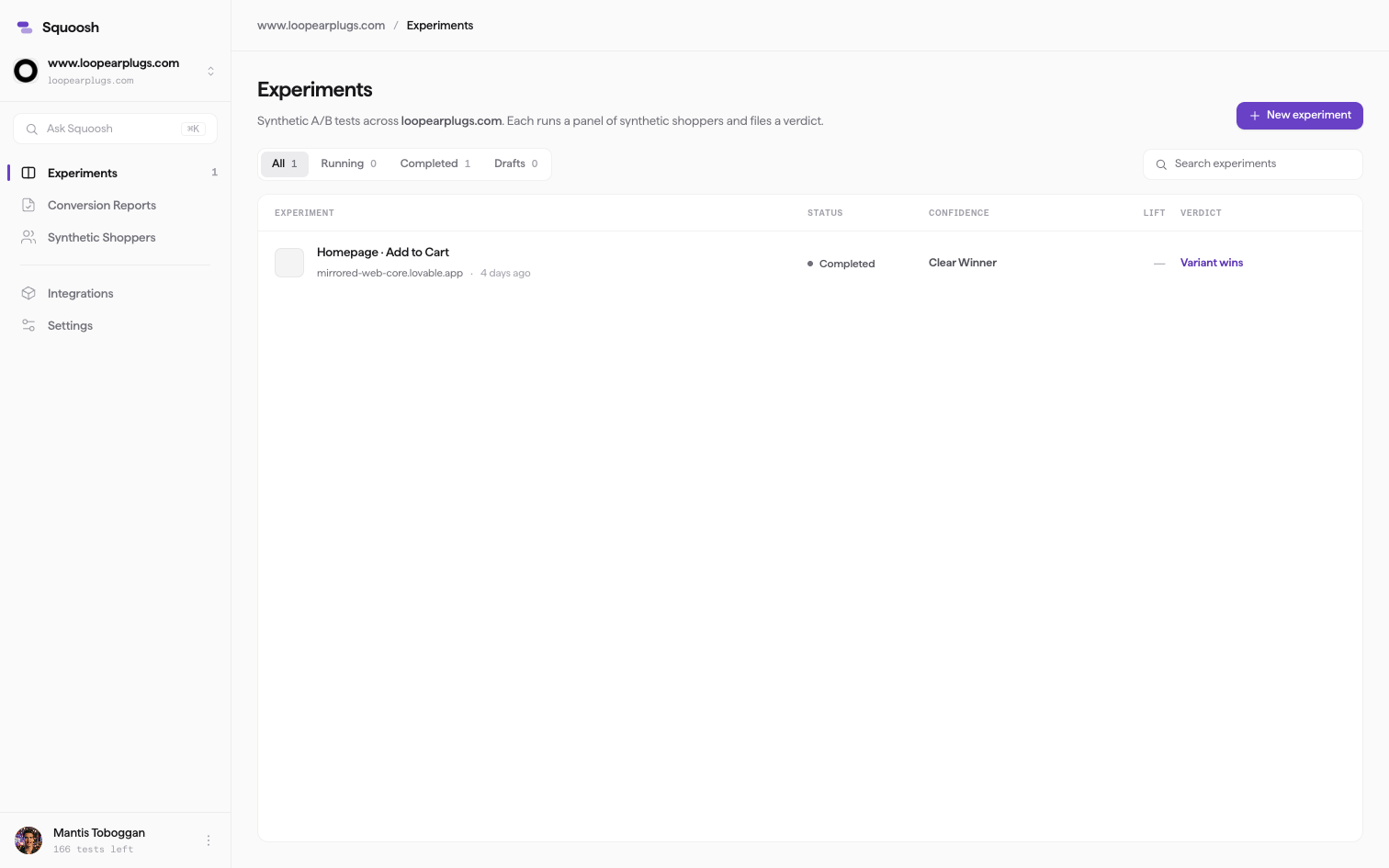
The Experiments dashboard — each finished test shows its status, confidence, and verdict.
How it works
- Connect a site and calibrate synthetic shoppers. Add the site you want to test and link Google Analytics or Shopify, then calibrate a pool of synthetic shoppers whose device, source, and behavior mix matches your real visitors. See Set up Squoosh and Calibrate synthetic shoppers.
- Run an experiment. Enter your Control page (A) and Variant page (B), pick a conversion goal, and launch. See Run an experiment.
- Read the verdict. When the run finishes, Squoosh files one of three outcomes — Variant B wins, Keep the original, or Too close to call. See How Squoosh decides a winner.
Documentation
| Section | What's in it |
|---|---|
| Getting started | What Squoosh is, signing in, adding a site, calibrating shoppers, and running your first experiment. |
| Core concepts | Synthetic shoppers, how a winner is decided, reading lift and confidence, and credits and tests. |
| Experiments | What you can test, shipping variants, watching shoppers, the run lifecycle, and reading the verdict. |
| Conversion Reports | Diagnose a single page's path to conversion without a second version. |
| Site Crawler | Capture desktop and mobile pages, inspect component descriptions, and replay saved interactions. |
| Integrations | Connect Shopify or Google Analytics, and keep synthetic shoppers out of your analytics. |
| Account and billing | Credits and billing, workspaces and properties, and settings. |
| Help | FAQ, glossary, and troubleshooting. |